 Chupchat
Delete Account
Follow these steps to permanently delete your Chupchat account.
How to Delete Your Account
Follow these steps to permanently delete your account from the app:
- Log in to your account using your username and password.
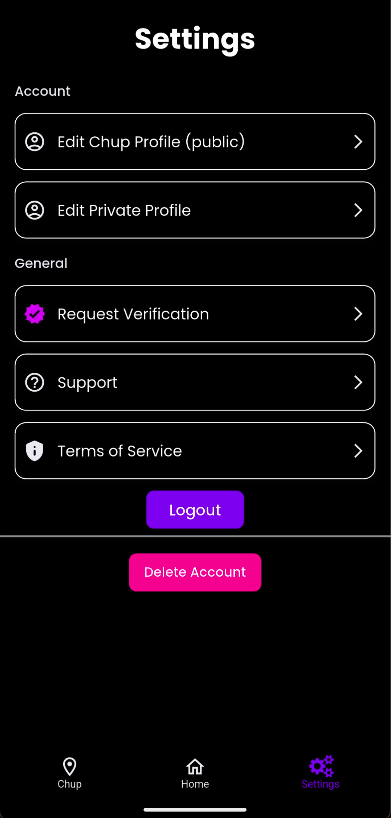
- Select Settings from the menu.
- Scroll down and tap Delete Account.
- Confirm your choice when prompted. This action is permanent.
Note: Deleting your account will remove all your data
permanently. This action cannot be undone.
Need help?
If you have questions or need assistance, contact our support team anytime.